My PDF
com.app_segb.mipdf
View detailed information for My PDF — ratings, download counts, screenshots, pricing and developer details. See integrated SDKs and related technical data.

Screenshots

Description
Transform your document management with the Mi PDF All-in-One app, designed to work completely offline (no internet required) and with maximum security. Forget about uploading your files to the cloud: all processing happens on your device, ensuring your data never leaves your control.
Key Features
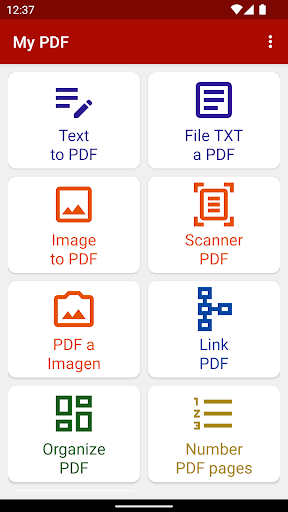
Smart Scan:
Convert photos of documents into crisp, automatically cropped PDFs.
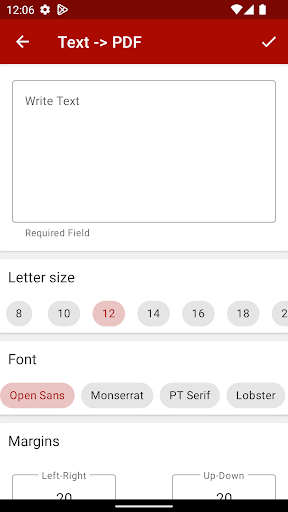
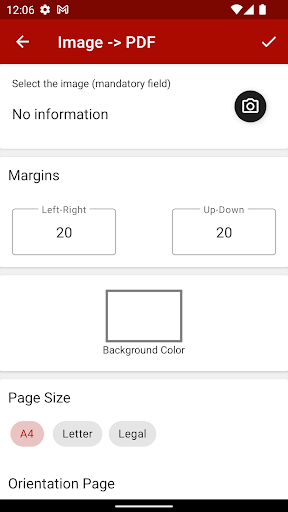
Create from Scratch:
Generate PDFs from text or images in your gallery or camera.
Merge & Organize:
Combine multiple PDFs and easily reorder pages.
Built-in OCR :
Extract text from any scanned or imported PDF for copying and editing.
Annotations & Stamps:
Add notes, watermarks, and page numbers to give your documents a professional touch.
Digital Signatures:
Insert your signature in just a couple of taps to secure contracts and agreements.
Advanced Viewer:
Browse your PDFs with zoom and quick search.
Why Choose Us?
Total Privacy: No internet connection needed, so your files stay on your device.
Data Savings: Works without using your mobile data or Wi-Fi.
Intuitive Interface: Designed so any user, regardless of technical skill, can handle PDFs like a pro.
Download Mi PDF All-in-One today and discover the safest, fastest, and most complete way to create and edit PDFs on your phone—no internet required!