Antu Benchmark FileManager Apk
com.antutu.benchmark.antutufile
View detailed information for Antu Benchmark FileManager Apk — ratings, download counts, screenshots, pricing and developer details. See integrated SDKs and related technical data.
- No items.

Screenshots
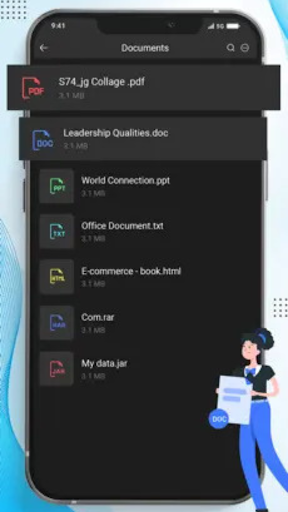


Description
Free, Secure, Fast manage your files efficiently and quickly with file manager app. Antutu File Manager is a very easy and powerful file manager
Benchmark File Manager - Es Explorer is easy and powerful file explorer for android devices.
With File Manager You can easily manage your files and folders on your device, Network-attached storage, and cloud storages. Main Storage
Internal Storage you can manage all files and folders on both your
You can find how many files & apps you have on your device at a glance
immediately after opening File manager. It supports every file management
actions like open, search, navigate directory, copy and paste, cut, delete,
rename, compress, decompress, transfer, download. File Manager Plus supports
media files and major file formats including app.
Benchmark File Manager Apk Attractive material Design UI/UX is a Light & smooth,
Simple & clean, Multi themes support. Browse files easily by category right from File Manager’s
home screen: images, videos, music, applications, downloaded.
Antutu File Manager is to Easy and Powerful File Explorer for Devices.File Manager HD is free, fast and full-featured. Antutu File Manager/Explorerapp is more than just a File Manager, you also get a Process Manager and Supports Media Files and Major File Formats.SD File Manager will transfer content between internal storage, usb flash, drive, and cloud storage.
This is a dual-pane Manager, there are two folders shown at same time, and common operation such as copying files are done from one pane to another and file manager shows folder hierarchy in a tree view for clear orientation and fast switching to other location. File Manager Features Open Source, light and smooth and based on Material Design guidelines.
Features
★ Search and share files
★ Photo Recovery: This feature can delete and recover lost photos and images from your memory card. No need to root your phone! Whether you accidentally deleted a photo, photo recovery feature can find your lost pictures and let you restore them.Also help you to find all other photos not in album by deep scanning all caches and thumbnails.
★ Clean all kinds of junk files, such as Log Files, Cache Files, Temporary Files, Installed APK Files, Unnecessary Big Files, Empty Files and Folders, etc.
★ Large Files: Quickly find out all the Big files/Large files on your phone. Support sort by size/date/name.
★ File Explorer: Help you manage all the files on your device.
★ Support to create/edit TXT files.
★ App Manager: Sort apps by storage size, so you can quickly find apps that take up more storage space.
Thank You.