Aspect Pro - Spectrogram Analy
com.andrewkhandr.aspectpro
View detailed information for Aspect Pro - Spectrogram Analy — ratings, download counts, screenshots, pricing and developer details. See integrated SDKs and related technical data.

Screenshots


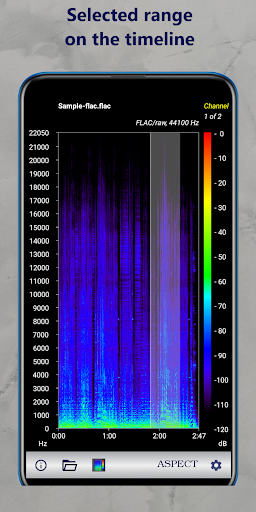
Description
WHAT IS Aspect Pro?
Aspect Pro is a spectrogram builder and analyzer.
Aspect Pro allows you to create spectrograms of the local audio files stored on your phone or tablet.
WHY USE Aspect Pro?
Aspect Pro allows you to analyze the spectrogram, increasing its parts to obtain more detailed information.
This can be useful when researching the sound of musical harmonics, bird voices and other sounds of interest to you.
The spectrogram shows the differences in the frequency range of lossless encoded audio files and lossy encoded files (compressed sound).
For MP3 and OGG files, you can easily see the effect of the encoding bitrate on the presence of high frequencies in the audio signal.
If you have the experience, a single glance at the spectrogram is sufficient to evaluate the quality of the digital sound recording.
FEATURES
Aspect Pro app with basic capabilities:
• Supports files of Android audio formats using audio decoders installed in the system
• Builds a spectrogram in both portrait and landscape orientation of the screen
• Shows the album, song, and artist info if it's present in the audio file metadata
• Allows you to adjust the size of on-screen labels and text
• Allows you to choose a spectrogram color palette
• Allows you to select an audio channel from stereo or multi-channel recording
• Shows the characteristics of the codec used to decode the audio signal
• Builds a spectrogram in full screen mode
• Allows you to automatically rebuild the spectrogram when you rotate the screen (auto start)
• Allows you to "hear" the spectrogram
• Allows you to scale the spectrogram along the time axis
• No Ads
Aspect Pro Advanced features*
• Support for most existing audio formats using high-performance FFmpeg decoders
• The ability to choose an audio stream from video file
• Scrolling files in the folder
• The ability to scale the spectrogram along the frequency axis
• Flexible color palette
• Increased productivity
*subscription required