Resize PDF File in Kb
com.alt.compact.pdf
View detailed information for Resize PDF File in Kb — ratings, download counts, screenshots, pricing and developer details. See integrated SDKs and related technical data.

Screenshots


Description
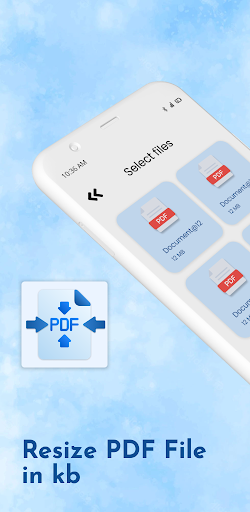
Resize PDF File will be able to reduce PDF files for minimal PDF size and maximal PDF quality.
If you are the one who wants to shrink PDF file size, save your disk space, and make the speed which was delivered to you for the conversion of PDF super faster.
If you use the default option right on your device it will transform compressed PDF files just in a single tap. The authority for the custom resolution and quality is assigned to you and you can input as per your preferred outcomes. Also, allow us to reduce the large PDF file size to the small one without affecting the original PDF.
It is also applicable to faster upload and download speeds, so then let PDF file size reducer will be convenient to share the compressed PDF on various social media platforms. PDF file size reducer will help you to convert your PDF which has graphics and photos with it. And it will not affect the quality of the photos. Compressed PDF documents require less disk space for storage and faster uploads and downloads save transmission time and cost.
🎁Conversion tools
🎀 Scan every page and compress it line by line
🎀 The very simple conversion from a large PDF file size to a smaller one.
🎀 The original PDF and shrink PDF file comparison is available on the screen
🎁PDF Tools
🎀 A Batch PDF compressing option is available as well as to single PDF is also worthy
🎀 Custom and default options are available for everyone without any cost.
🎀 A compressed PDF can remove, copy, rename, save and share from the same application.
🎁File manager
🎀 The powerful file manager will store all the compressed files in one place in the history tap.
🎀 Very much convenient to visualize all the details for the PDF.
A major feature for the Resize PDF File:
🥁 Compress PDF file size without any charge applicable to it.
🎻 Reduce PDF file size within the time of eye blink.
🎼 Very elegant and easy-to-use PDF compressor with an engaging user interface.
🎶 Compress PDF files to reduce PDF file size.
🎬 Easily share the compressed file on your desired social media platform
🎧 All compressed PDFs are saved in the folder Phone and in resize PDF files application.
🎷 Applicable to make PDF smaller from your smartphone gallery or folders.
🎸 Details highlighted (Name, date, size, and path).
🎹 Delete or rearrange the PDF pages.
🎺 All Compressed PDF history has been shown at one location in the history tab and no need to search anywhere else.
🎤 Sharing options are available for all social media platforms like Facebook, Instagram, Telegram, Emails, and many more.
Free from size limit, Free from ad watermarks - simple, cost-free, and high-quality compressor PDF tool for reducing the document sizes as that in original ones. Therefore, Hurry Up! Download it for a great experience. Furthur makes us known for the more about how we can make it works in a better way.
Do not overlook the comment or review section, please note there you like and dislike about this application and also you are welcome for any sort of suggestion you like to be improved. And also present your rating so that we get a clear idea of your point of view.
🍷 Thank you for downloading the application.
Disclaimer: This app is not affiliated with Facebook, Instagram, Google, OneDrive, or any other trademark mentioned here.