Voice Recorder
com.almdroid.voicerecorder
View detailed information for Voice Recorder — ratings, download counts, screenshots, pricing and developer details. See integrated SDKs and related technical data.
- No items.

Screenshots

Description
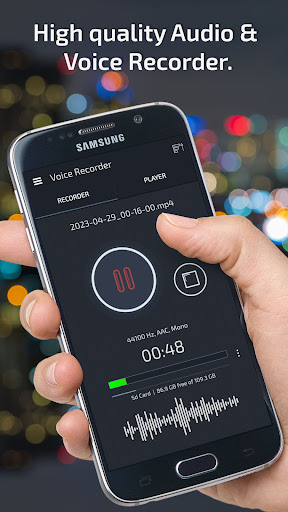
✅ Voice Recorder is a simple and high quality Audio & Voice Recorder
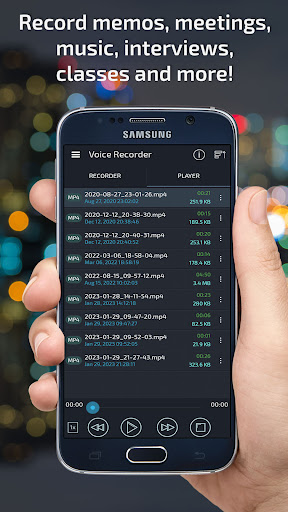
This application is a FREE recorder and handy tool for recording your meetings, music, interviews or talks, classes, conversations, personal notes and more!
● Features of Voice Recorder:
► VOICE RECORDER
✓ Record voice and conversations at unlimited length with high quality sound
► RECORDING FORMAT
✓ Save your recordings in following formats: 3GP, WAV, MP4
✓ Support recording in the background (even when display is off)
✓ Pause/resume recording
► MANAGE RECORDINGS IN VOICE RECORDER
✓ Play, rename, or delete recording
✓ Send and share recordings.
► CONFIGURATION
✓ Voice Recorder gives you ability to configure quality of your recordings
✓ Ability to select microphone (front or back/rear)
► SIMPLE INTERFACE
✓ Easy to use interface
✓ Remaining storage space showed on home screen
✓ Sample rate options for better control of recording quality
✓ Displays the recording status in the notification bar.
► SAVE LOCATIONS
✓ Save recordings to Sd Card
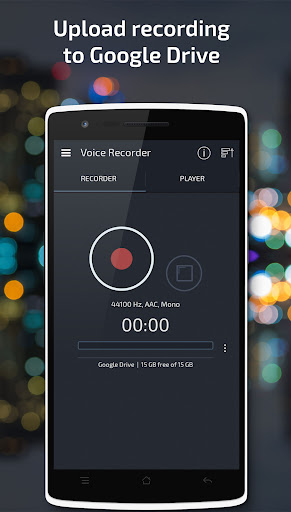
✓ Save recordings to Google Drive
NOTE: This app is not call recorder.
Enjoy this handy Voice Recorder, thank you!
► Requested Permissions
Read/Write the contents of your USB storage
- To read and write recording to your phone storage
Microphone
- To record audio/voice
Google Drive permission
- The app needs this permission if you want to store your recordings to Google Drive.