All In One CamScanner
com.allinone.camscannerpro
View detailed information for All In One CamScanner — ratings, download counts, screenshots, pricing and developer details. See integrated SDKs and related technical data.
- No items.
Screenshots

Description
You can now share your documents and make QR Codes and Creat PDF and Them with you environement !
With All in One CamScanner you can scan, store and share documents on all devices such as smartphones, iPads, tablets and PCs.
Features :
* All features in the free version
* Recognize and extract text from a single image
* Export PDF files without "Scanned by CamScanner" characters
* Ad-free
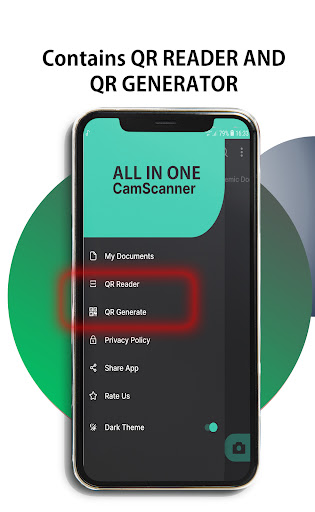
*Generate Qr Codes
*Scan ID
Main functions:
*Quickly digitize documents
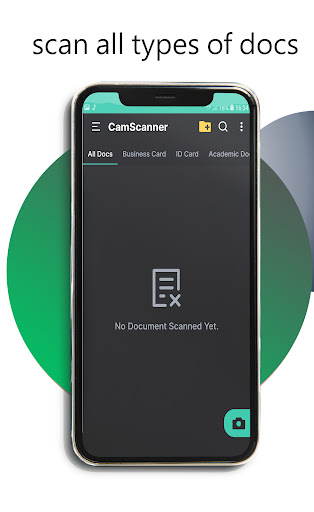
One can scan your paper documents like receipts, notes, invoices, whiteboard discussions, business cards, certificates, etc.
*Improve the quality of the images
Intelligent cropping and automatic enhancement ensure text and images are sharp and legible.
*Extract texts from image
Texts in images are recognized by OCR (Text Recognition) and can be read, edited, shared and extracted (Only with a premium account)
*Share PDF/JPEG files
You can share documents in PDF or JPEG format with friends in different ways: stick them on social media, send them as attachments or links via email.
*Release documents
Your documents are group-readable and commentable by your friends and co-workers by inviting and sharing people. (Only registered users)
*Processing of documents
You can add handwritten notes to your documents or create and insert your own watermarks.
*Protect important documents
If you have confidential documents, he can block them with a password. On premium account you can set a password before sending the document link.
* Fast search
Find any document in a flash. Tags can be used to categorize documents. Through “OCR for Seach” (OCR technology) one can search the document to free you from the tedious manual searching.