SchwabTronic
com.alflex_technologies.SchwabTronic
View detailed information for SchwabTronic — ratings, download counts, screenshots, pricing and developer details. See integrated SDKs and related technical data.
Screenshots
Description
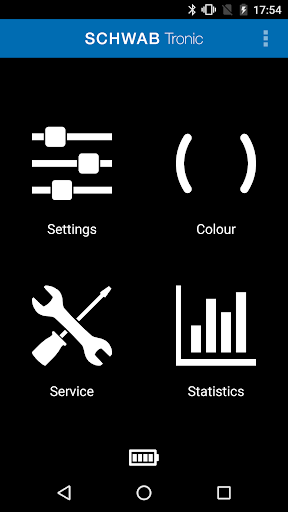
With the SchwabTronic Application you can easily change and personalise the settings of the non-touch SchwabTronic control panel. Modify the colour of the LED lighting on the control panel, or change settings for toilet flushes, energy consumption or security. Enter service settings or read out statistical details.
Create the ideal colour
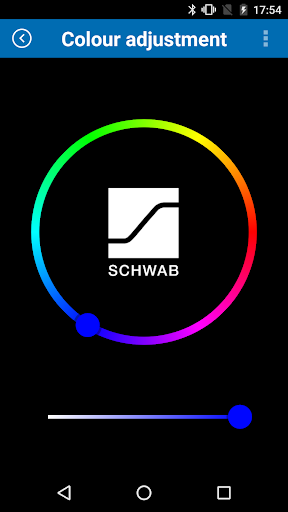
Use the colour wheel to change the desired colour and light intensity of the LED lighting on the control panel.
Settings
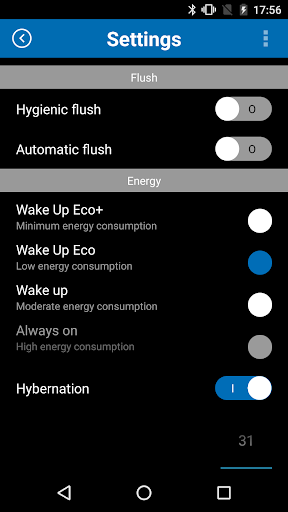
When automatic flushing has been activated, the sensor in the control panel detects whether users are sitting or standing. After the user leaves the toilet, a complete flush will be activated so that the next user doesn’t face any unpleasant surprises.
By activating the hygienic flushing it’s possible to adjust the flushing interval so that the water is refreshed in the toilet and the built-in cistern.
Select the desired energy mode so that the control panel doesn’t consume any unnecessary electricity when batteries or a hydrogenerator are used. It’s possible to use the vacation mode to save extra energy.
You can prevent unauthorised access to the SchwabTronic control panel by setting a PIN code.
The app can be configured in several languages: Dutch, English, German, French, Swedish, Norwegian, Finnish, Danish, Spanish, Portuguese, Italian and Cantonese. The language can also be changed later.
Service
To prevent an unintended flush being activated while cleaning the toilet, simply activate the cleaning mode.
Save your configuration settings and send them to other control panels.
Perform a servomotor check.
Statistics
The water consumption is shown graphically by a diagram divided between half (small) and full (complete) flushes. This gives you an instant check on the water used per day, month or year, and the number of manual and automatic flushes.