Malayalam Voice Typing App
com.VoiceTypingInMalayalam.SpeechToTextMalayalam
View detailed information for Malayalam Voice Typing App — ratings, download counts, screenshots, pricing and developer details. See integrated SDKs and related technical data.

Screenshots

Description
🏆 ★★★★★ 🏆
#1 VoTyMal: Easy and useful Malayalam Voice Typing App!
Our in-built voice recognition technology helps in converting your Telugu Voice into Text. Just click on 'Mic' button and talk in Telugu and our app will convert your Malayalam Voice to Text! It's that SIMPLE to do Malayalam Voice Typing!!!
✓ Easily convert your Malayalam Voice into Text and easily share the text to WhatsApp / Messenger / Twitter / Email / Any Other app
✓ You can type your text using your Malayalam voice using in-built advanced voice recognition technology!
✓ You can also use the in-built speaker functionality to make the app read out the text which you have typed using our Malayalam Voice Typing app
Usage Guide
1) I want to type using Malayalam Voice, how to do it?
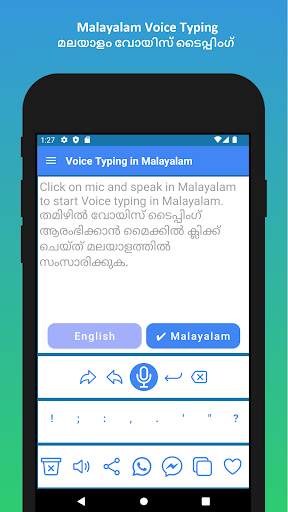
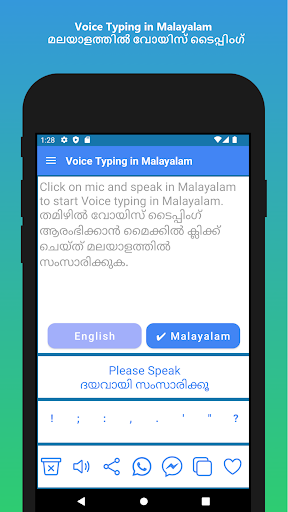
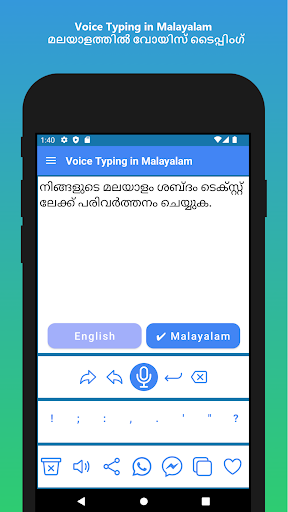
A) Click on 'mic' button below the 'Malayalam' button and our Malayalam Voice Typing app will listen to your voice and type the text in the top text box
2) I have the text typed in Malayalam. Now, I want to copy the text. How do do it?
A) Once you have done Speech to Text Malayalam Voice, you can click on 'Copy' button to copy the output text
3) I want to share the output text after I convert my Malayalam voice to Text. How to do it?
A) It's very easy to share the text after doing Malayalam Voice to Text conversion. Click on WhatsApp button or FB Messenger for 1 click sharing or click on Share button to share the available converted text from Malayalam Voice to other apps.
4) I see 2 mics available, what is the second mic for?
A) You are absolutely right on noticing a second mic in our Malayalam Voice Typing app. The second mic help with an addition language other than Malayalam, in this case English. So, apart from Malayalam Voice Typing, you can also use for converting English Voice to Text.
Features of Malayalam Voice Typing App:
✓ 1. Malayalam Voice Typing / Malayalam Voice Typing / Speech to Text in Malayalam / Malayalam Speech to Text
✓ 2. Share the converted text to other apps with single click
✓ 3. One click to sharing of output text to popular apps like WhatsApp / FB Messenger
✓ 4. Uses very less memory and it's super fast!
✓ 5. Very easy and convenient to use
Malayalam Voice Typing App uses the below permissions:
1. Storage access: This is for storing history of Malayalam Voice Typing App
2. Audio record access: To listen to your voice when you click on the 'mic' button in our Malayalam Voice Typing app
Thank you for using our Malayalam Voice Typing app!
For any suggestions/queries/feedback/issues regarding our Malayalam Voice Typing app, please reach us at support@voicetyping.co, we will be happy to hear from you and we will do our best to assist you!