TAMS Service Request Quality (
com.TAMSSRQuality
View detailed information for TAMS Service Request Quality ( — ratings, download counts, screenshots, pricing and developer details. See integrated SDKs and related technical data.

Screenshots

Description
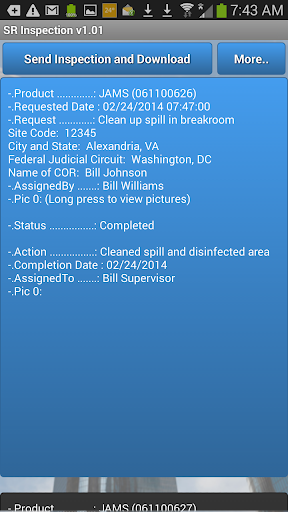
Inspect any Service Request with this photo-app. Record the quality of service, on-time performance, proper documentation, client satisfaction, and more - including photographs. Performance Results directly tied to employees or contractors to evaluate work performance.
Your Company Website Name (in TAMS) and Facility Activation Code are required to start the application. You can find your Facility Activation Code by having a Master Admin User log into TAMS and navigate to the Settings Menu. On the right hand side of the screen, near the bottom, there is a link titled "Facility Sites". Click on the "Facility Sites" to reveal all of your Facility Sites.
Your TAMS User Name and Password are required to use the application once it is downloaded to your Android SmartPhone.
If you have any questions about how to use this download, visit our website at http://www.psiwebware.com or call us at (571) 436-1400.
Training Videos are available in the Service Request Tab >> Videos Submenu.