Photo Editor - PhotoMaster
collagemaker.layout.photoeditor.photocollage
View detailed information for Photo Editor - PhotoMaster — ratings, download counts, screenshots, pricing and developer details. See integrated SDKs and related technical data.

Screenshots



Description
Photomaster is an easy-to-use photo editing app that enhances your photos like a pro but still uses very little storage space on your device. Perfect for everyday use, you can edit photos offline quickly and easily to create social media perfect posts.
You can edit pictures, create collage, add stickers, add texts, apply filters & effects or simply change the background of your portrait pictures using the AI cutout feature. Also resize your pictures quickly!
What Makes the Photomaster app the Best Choice?
✅ Drip & Drop Colors, Patterns & Frames
✅ User-friendly Interface
✅ Takes less storage space
✅ New features added regularly
✅ Most used editing tools are included
✅ Works offline
Photomaster photo editor app is completely ***free to use***, so you can edit your photos anytime, anywhere with no hassle.
Key Features Of Photomaster app
AI Cutout: Easily remove & change the background from your photos with a powerful AI cutout tool.
Frames: Remove backgrounds and add the most unique and beautiful frames making your photos looks like billboard posters.
Patterns: Add Patterns in any color and design in the background of your candid photos to give a vibrant and a fresh look like never before!
Photo Editing Tools: Crop, rotate, blur, adjust brightness, contrast, saturation and temperature of your photos.
Advanced photo editing: Apply 120+ Filters like bokeh blur, motion blur, vignette, retro, aesthetics & many other photo effects like blend, light, cloud, prism. You can also add stickers for every occasion on your photos.
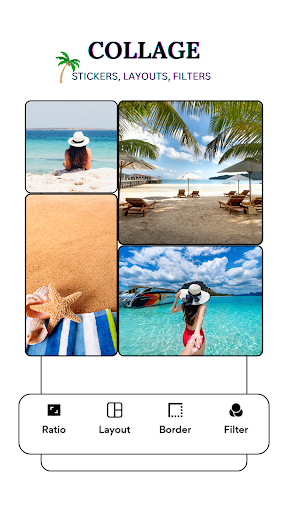
Collage Maker: Create beautiful collages with your photos from 600+ grid designs & layouts. Perfect for side by side or two grid photos to show comparison online.
Resize Photos: Change the size & orientation of your pictures like square or in ratios like 4:6, 4:3, 5:7, 8:10 & more.
Text and Doodle: Add text in multiple fonts, colour and size or doodle on your photos to make them more unique and fun.
Social Media Sharing: Share your edited photos directly to your favorite social media platforms instantly.
New features are added regularly, so you'll always have something new to experiment with.
You are always welcome to share your valuable suggestions and feedback to us at axmediaplayereditor@gmail.com.
Loving the app so far? Share your reviews with us & let us know what else we can do for you!