Celestial
code.PhilipXuanyuZhu.celestial
View detailed information for Celestial — ratings, download counts, screenshots, pricing and developer details. See integrated SDKs and related technical data.
- No items.

Screenshots


Description
This tool stimulates the gravitational interactions among objects.
In July, 2015, when I was yet super naive, I have published a super naive version of such simulation app (coded with App Inventor). I was supposed to upgrade that app, but due to different platform of programming, I couldn't match the "package name" with that of the previous one. So, here, I am publishing a new app.
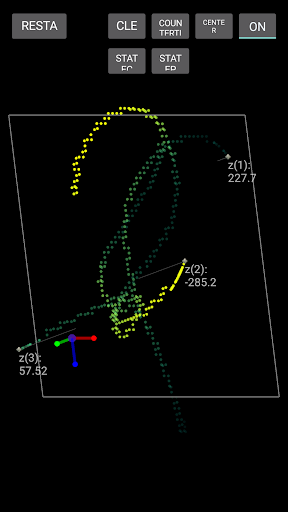
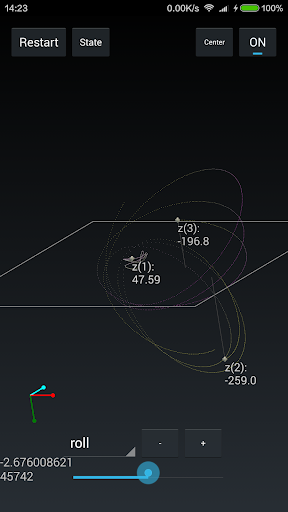
The new version simulates in three dimensions. You can add up to 100 objects, which you wouldn't want to because your phone would be super slow with 100 objects. You can modify their masses and set their location and velocities in all three dimensions. It is also optional to display their traces in stereoscopic way so the display correspond your viewing perspective.
I hope this app can help you a little on physics learning. Please contact me at "0123456789.ppppph@gmail.com" or leave your comments if you have any suggestion.
Tips:
1.Drag from the Moon image to add a massive object.
2.When there are multiple objects, drag from the yellow icon and release near some object to choose which object to manipulate (to set its velocity, position, size, mass etc)
3.Drag from the blue icon to set velocity.
4.Drag from the focus sign to set position.The rest buttons have the following functions:
to set the center of mass at the center of the screen
to choose the behavior of the objects when it touches the edge of the screen (to continue moving, to be bounced back or to appear on the other side)
to choose the behavior of the objects when they move too close (to collide or to set a maximum acceleration)
to switch the way to display the trace of the objects
to clear the trace
to reverse the direction of velocity of all the objects
to remove the objects
A special stereoscopic function was the Virtual Reality. Explore it by clicking the "VR" button twice! If you have a pair of VR glasses, it's fine. If you wish to view it with your bare eyes, let me remind you to try it cautiously and be care of your eyes.
In some screenshots you may see the objects as white moons, but in the current version, the objects are all blue circles. I may modify it in the future versions.
Hope you like it.