Coordinate Master
binaryearth.coordsystool
View detailed information for Coordinate Master — ratings, download counts, screenshots, pricing and developer details. See integrated SDKs and related technical data.
- No items.
Screenshots

Description
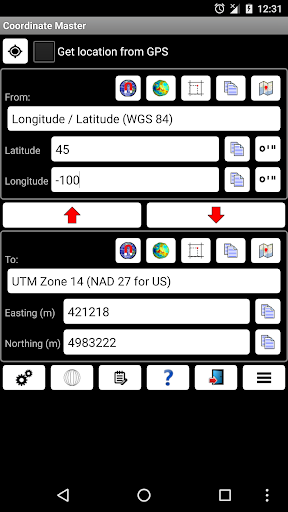
This powerful geodesy app allows you to convert coordinates between many of the world's coordinate systems, compute geoid offsets, and estimate the current or historic magnetic field for any location. It also includes a calculator tool as well as surveying tools to compute the point scale factor, grid convergence, traverse, inverse, and sun angle. You can also store multiple points and compute boundary length and area on them, or import/export them to CSV files.
The app uses the PROJ4 library and a lookup file containing projection and datum parameters to support over 1700 coordinate systems. Lat/lon, UTM, US coordinate systems (including US State Plane), Australian coordinate systems (including GDA2020), UK coordinate systems (including Ordinance Survey) and many, many others are supported. You can also create your own coordinate systems if you know the parameters.The app also supports affine transformations to allow you to set up local grid systems. See http://www.binaryearth.net/Miscellaneous/affine.html for details.
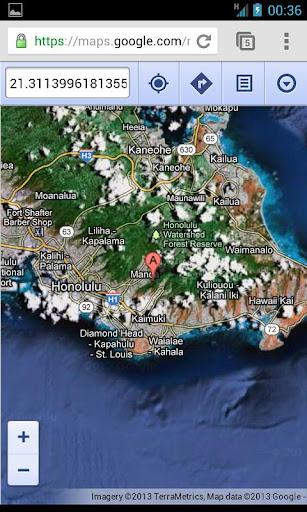
The app either takes manual coordinate input or uses your current GPS location. The computed location can be displayed in Google Maps via your web browser with a single button press. It also supports MGRS grid references.
You can export any lat/lon, UTM or transverse Mercator coordinate systems to a HandyGPS datum (.hgd) file for use as a custom datum in HandyGPS.
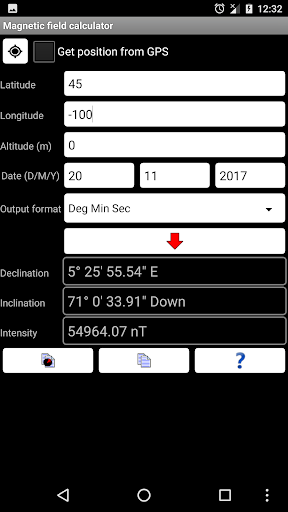
The magnetic field calculator page computes the Earth's current or historical magnetic field at a given location. The magnetic declination computed is useful for compass navigation since it represents the difference between true north and magnetic north. Field inclination and total intensity are also computed. This tool uses the International Geomagnetic Reference Field model (IGRF-13). See http://www.ngdc.noaa.gov/IAGA/vmod/igrf.html for full details. Years from 1900 through to 2025 are supported.
The app can also compute the geoid height offset for a given location, using the EGM96 model. Geoid offset can be subtracted from the height reported by GPS to give your actual height above sea level.
The app also includes a sun angle calculator which can be used to compute the location of the sun in the sky at any location for any date and time.
Online help for the app is available at http://www.binaryearth.net/CoordinateMasterHelp
A version of this app which allows batch coordinate conversions is now available for Windows. See http://www.binaryearth.net/CoordinateMaster/Windows
Permissions required: (1) GPS - to determine your location, (2) SD card access - to read and write user projections file.