Touchscreen Repair
apps.redpi.touchscreenrepair
View detailed information for Touchscreen Repair — ratings, download counts, screenshots, pricing and developer details. See integrated SDKs and related technical data.
Total installs
16.3M(16,318,062)
Rating
4.6(5,527 reviews)
Released
July 21, 2016
Last updated
September 7, 2025
Category
Tools
Developer
RedPi Apps
Developer details
Name
RedPi Apps
E-mail
redpiapps@gmail.com
Website
unknown
Country
unknown
Address
unknown
Screenshots

Description
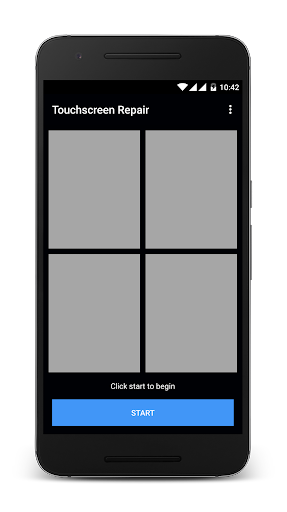
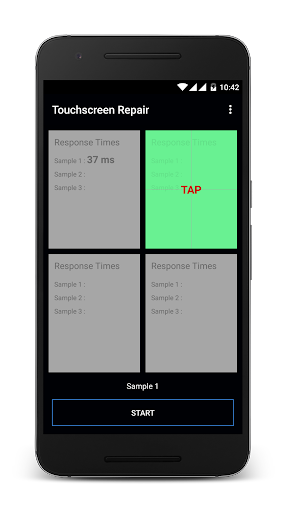
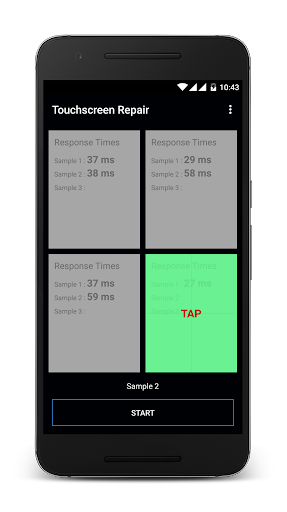
The touchscreen of any device deteriorates with use. As a result you experience touch lags and sometimes your touchscreen stops responding. Touchscreen repair app analyzes your touchscreen response time and reduces it so that you can have a smoother experience with your touchscreen. FEATURES -> Repairs your touchscreen by removing touch lags and improving your touchscreen responsiveness. -> Makes it easier for you to type on your keypad. -> Reduces touchscreen response time. -> Easy and quick process. -> Light weight apk. No unwanted graphics. HOW TOUCHSCREEN REPAIR WORKS? Touchscreen repair takes 4 response time values from 4 parts of your touchscreen. 3 such samples are taken for better accuracy. Based on these values, the app calculates a reduced, uniform response time and applies it for the touchscreen on software side. This is how the app repairs your touchscreen. Checkout this youtube video on how to use the app : https://youtu.be/bo5IaxIfdP0 If you only want to calibrate your touchscreen without effecting the response time values, you can use the Touchscreen Calibration app: https://play.google.com/store/apps/details?id=redpi.apps.touchscreencalibration