Text2Speech
app.doitwell.text2speach
View detailed information for Text2Speech — ratings, download counts, screenshots, pricing and developer details. See integrated SDKs and related technical data.

Screenshots

Description
Text2Speech - an easy-to-use text-to-speech application
Text2Speech is an easy-to-use text-to-speech application that allows you to convert text content into natural and fluent speech. This application primarily provides two modes for monolingual text reading or bilingual document reading, depending on your needs.
Key features:
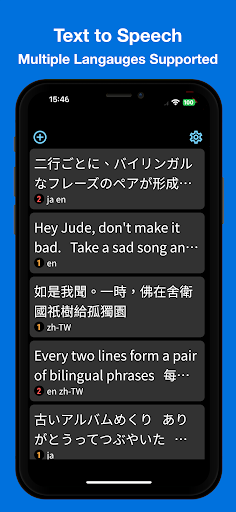
Monolingual mode: This mode is suitable for reading out single-language text content. Simply input the text you want to read into the application, and Text2Speech will automatically detect the language using advanced language recognition technology and read the text content in a smooth and natural voice. If the language detection is incorrect, you can manually change the language.
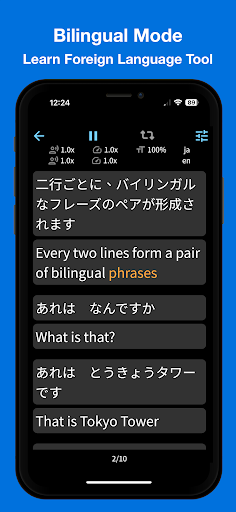
Bilingual mode: This mode is designed for bilingual texts, with each pair of phrases consisting of two lines. Text2Speech will read the text content of each language separately for each pair of phrases, making it more convenient for bilingual learning or translation. Just input the document containing the dual-language phrases into the application, and Text2Speech will read each pair of phrases in sequence, helping you better understand and learn both languages.
Both modes support marquee mode, and you can change the colors of the marquee page, including text, highlighted text, and background.
Other features:
Custom settings: You can adjust the font size, tone, and speech speed according to your preferences to meet different requirements for the reading experience.
Multilingual support: Text2Speech supports multiple languages, including English, Simplified Chinese, Japanese, French, German, Spanish, Russian, Portuguese, and Italian. Regardless of which language you use, you can enjoy smooth and accurate speech conversion.