FormsApp - Manage your Forms
aarnav100.developer.g_forms
View detailed information for FormsApp - Manage your Forms — ratings, download counts, screenshots, pricing and developer details. See integrated SDKs and related technical data.
Total installs
4.8M(4,844,309)
Rating
4.7(230 reviews)
Released
December 29, 2017
Last updated
December 17, 2025
Category
Productivity
Developer
Niharika Jindal
Developer details
Name
Niharika Jindal
E-mail
developer.aarnav100@gmail.com
Website
unknown
Country
unknown
Address
unknown

Screenshots



Description
FormsApp is useful to conduct surveys and quizzes online and to view responses in mobile device itself via Forms and Survey Smart.
Manage all your Forms on your Android phone or tablet with the free Forms App. With this app, you can:
Create New Forms:
- Design new forms on your Android device.
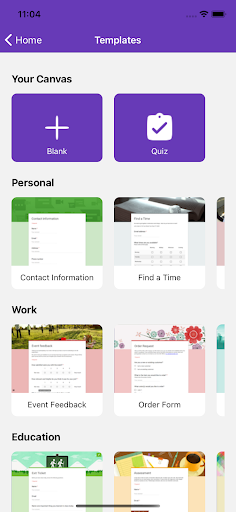
- Choose from a variety of stunning templates.
- Import questions from existing forms.
- Add collaborators and editors to your forms.
Edit Existing Forms:
- Access any form from your Drive on your Android device.
- Support for undo and redo actions.
- Rearrange questions easily.
- Preview forms before sharing.
- Share edit links with collaborators or form links for respondents.
- Receive detailed, illustrative charts for form responses.
Response Notifications:
- Receive real-time notifications whenever a new response is submitted.
View, Manage, and Share Responses:
- Summary Mode: View responses with visually appealing graphs.
- Questions Mode: Review responses by specific questions.
- Individual Mode: See answers from individual respondents.
- Delete individual or all responses.
- Provide individual feedback for quiz answers.
- View and assign scores to quiz responses.
- Export response data in CSV or Excel formats.
- Copy charts to clipboard or save to your photo library.
Disclaimer: This is a third-party app. All trademarks are the property of their respective owners.